Analytics
You can track data like views, comments and downloads on files you’ve uploaded and shared on Louper.
Link Analytics
With Link Analytics you can track views and engagement on content that has been shared via a Review Link or Showcase. For the most accurate results, you can set Require email to view as a parameter on the links you share, that way all views and engagement on the files will be accurately assigned to the right viewer.
View Analytics for a Review Link or Showcase
- Click the
View Analyticsbutton next to the Link, or right-click on the Link and selectView Analytics - The Analytics page shows an overview of all opens, views, average engagement and downloads from that link.
- Under the
Viewerstab, click on individual viewers to see detailed engagement analytics for each viewer - Under the
Assetstab, click on individual files to see detailed engagement analytics for each file
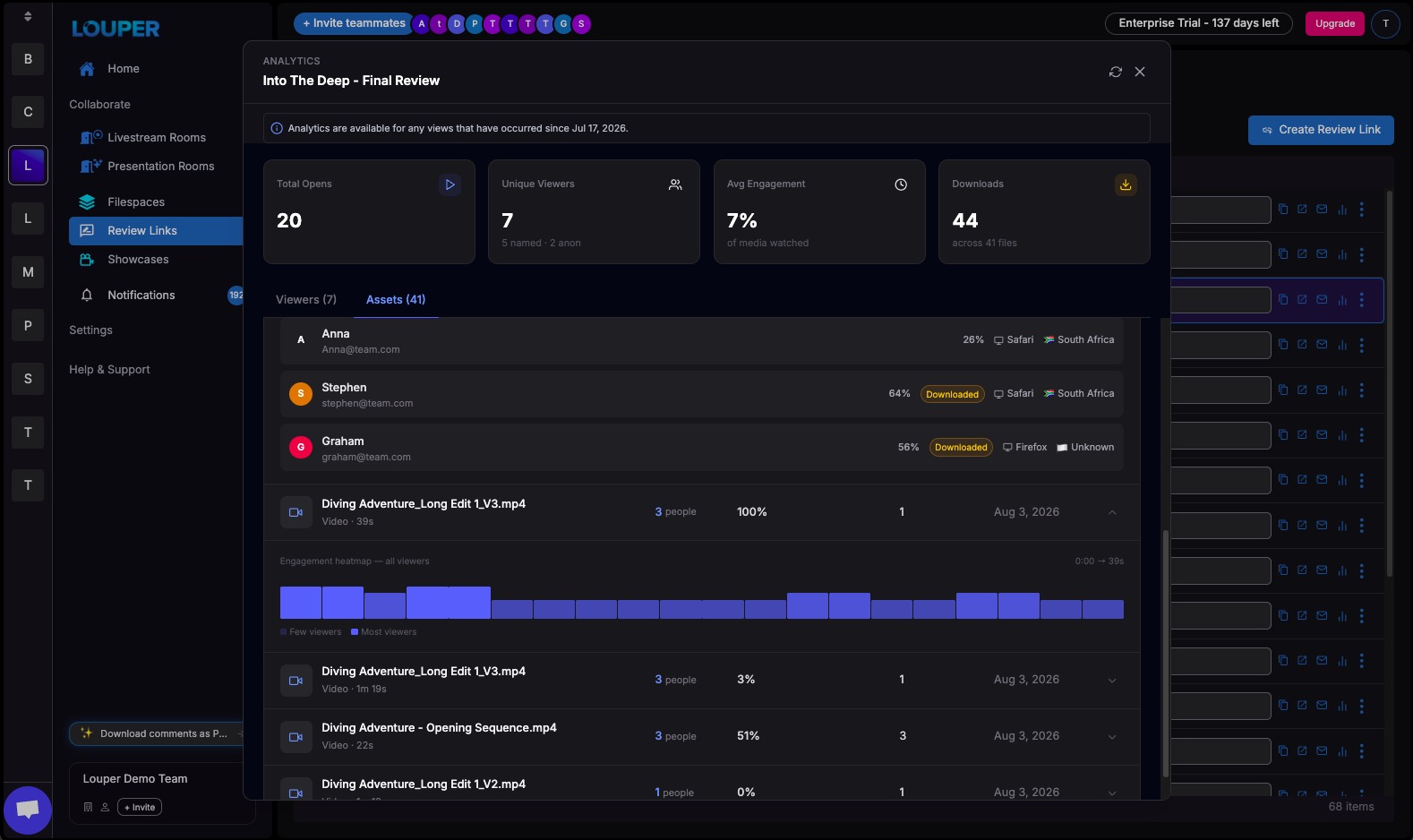
Link Analytics are only available for views that have occurred since July 17, 2026.
File Analytics
You can view detailed analytics for individual files, to see how people are engaging with your content. Analytics show who has viewed, downloaded or commented on your files, and how those files have been shared - whether in Rooms, Links or in the dashboard.
View Analytics for an individual file
- Click the
View Analyticsbutton next to the file. Alternatively, right-click on the file and selectView Analytics - The Analytics page shows an overview of engagement including: number of viewers, average engagement on the file, total downloads and comments
- The
Appears intab shows the Filespaces, Links and Rooms that the file appears in - The
Viewerstab lists all the people who have interacted with the file, along with an overview of each viewer’s engagement.